
Quick Verdict
To cancel Spocket, sign in, open Settings, choose Membership, and select Cancel. Follow the password confirmation and check that a plan end date is displayed. Spocket billing terms require cancellation at least 24 hours before renewal, and canceling a paid subscription does not automatically create a refund.
Affiliate disclosure: This article contains affiliate links. If you sign up through one of them, we may earn a commission at no additional cost to you.
Compare Spocket plans and current offers
If you want to cancel Spocket, the most important thing is to complete the subscription cancellation inside the account and verify that the next charge is not scheduled. Closing a browser tab, removing an app from your store, or simply stopping product imports should not be treated as a billing cancellation.
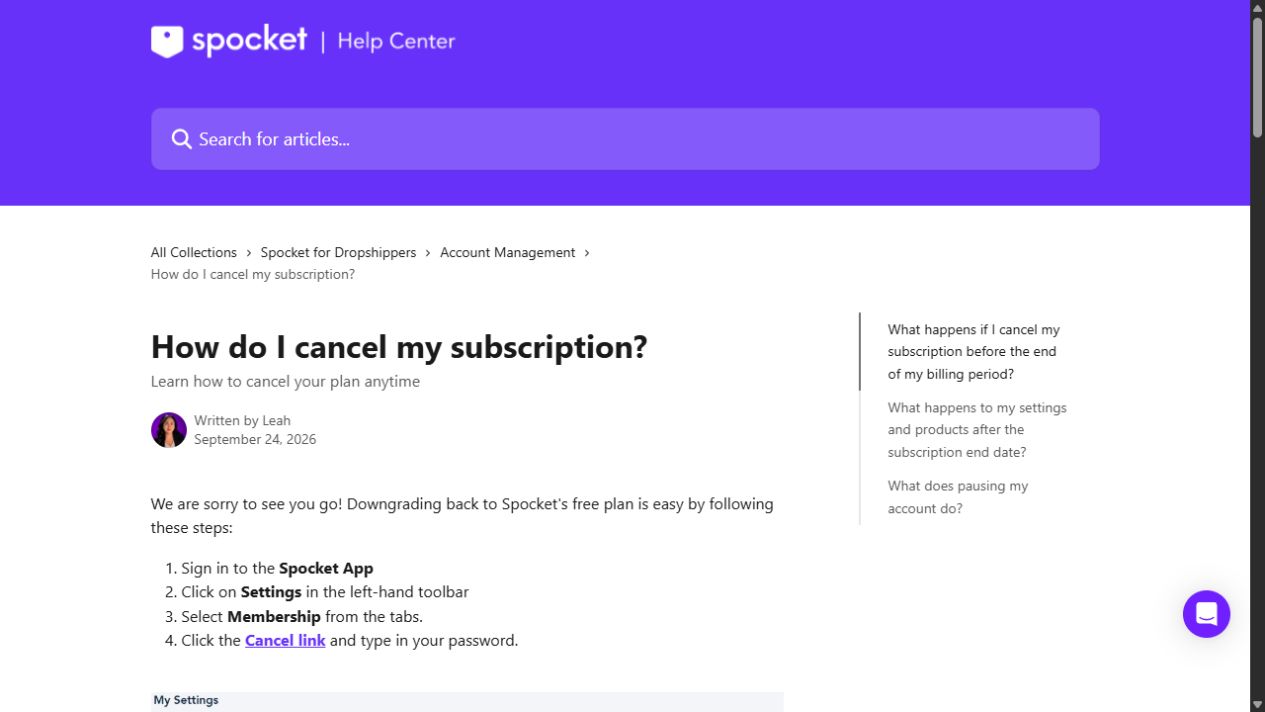
Spocket cancellation steps
- Sign in to your Spocket account.
- Click Settings in the left sidebar.
- Open the Membership tab.
- Choose the Cancel link for the subscription.
- Enter the account password if the form asks for it and complete the confirmation.
- Check for the Plan Valid Until date or other cancellation confirmation, and save it.
This sequence follows Spocket's current cancellation help. Interfaces can change, so follow the labels in your live account if they differ from an older screenshot.
Cancel your Spocket free trial before billing
The public Spocket monthly plan lineup advertises an initial seven-day trial for eligible tiers. You can cancel during that window if the platform does not suit you. However, the refund policy requires cancellation at least 24 hours before the scheduled renewal date, so do not leave the task until the final minutes.
As soon as you activate a trial, write down the local date and time of the first charge. If you want to cancel, complete the in-app process early and keep the confirmation. A calendar reminder helps, but the actual cancellation must happen in Spocket.
Does Spocket charge after cancellation?
Spocket says a canceled subscription remains usable through the existing paid period and should not receive new subscription charges after proper cancellation. Its published refund terms also say renewal charges are non-refundable once a new billing cycle has begun and no eligible cancellation was completed beforehand.
If you believe a charge happened after a valid cancellation, collect your confirmation, account ID or email, billing date, and charge amount. Contact Spocket support with a concise description and supporting evidence. Do not assume every billing issue will be automatically refunded.
Can you get a refund when canceling Spocket?
Cancellation and a refund are different actions. The published policy says cancellation during the eligible monthly trial prevents the initial fee. After a monthly trial has ended, its monthly subscription fees are generally non-refundable. Paid annual subscriptions do not have a standard trial and are generally non-refundable after payment processing. Unused portions of a paid term are not ordinarily refunded on a prorated basis.
Read Spocket refund rules explained before asking support for an exception. The details of a disputed or incorrect charge should still be documented and reviewed individually.
What if the Cancel option is missing?
First confirm that you are in the Spocket account tied to the subscription, not another store login. Then open Settings > Membership again and check whether your account has a password configured. Spocket's cancellation article says a password may need to be set in the Account tab before cancellation can be completed.
If you still cannot cancel, use the available support channel and state the subscription email, next renewal date, and problem you are seeing. Keep screenshots and a written record of the attempt. Do not share your password with anyone, including an unofficial “cancellation service.”
Do you lose Spocket products after canceling?
Spocket's cancellation guidance says the account's settings and imported products can become inaccessible once the paid subscription period ends. Plan around that consequence before canceling a live ecommerce operation. You should not leave customer orders unfulfilled or publish products you can no longer support.
If you need to stop spending but may return later, check whether pause is available on your paid plan. Spocket says a paused account can preserve settings and imported products, but pausing is not available during the trial. Check the exact billing and pause rules shown in your account before choosing.
Does deleting your Spocket account stop billing?
Do not rely on account deletion as a substitute for canceling the subscription. Complete and confirm the billing cancellation first, then follow any separate account deletion process if you no longer want to retain the account. The same principle applies if you disconnect an app from Shopify or WooCommerce.
If you manage several stores, verify the subscription for each store individually. Spocket describes separate subscriptions for certain full-functionality multi-store setups, so a single cancellation may not cover every charge.
Cancel or keep Spocket: a simple decision test
Consider keeping your plan if you have an active, profitable store and the sourcing workflow saves real time or supports products you already sell. Consider canceling if you have no defined niche, the available suppliers cannot serve your market, or the subscription exceeds what your order margins can support.
If you mainly want to downgrade, compare lower plan allowances first. Starter supports 25 unique products and Professional supports 250 in the currently published lineup. A smaller plan can be more appropriate than retaining a large one with an unused catalog allowance.
Before choosing a different tool, see Spocket alternatives and compare how their pricing and order processes fit your current storefront.
Frequently asked questions
Can I cancel Spocket at any time?
You can request cancellation through the account, but avoid renewal by following the published deadline of at least 24 hours before the scheduled charge.
Will my subscription stop immediately?
Spocket says you can continue to access paid plan benefits until the end of the paid period after cancellation. Check the end date displayed in your account.
Can I pause my Spocket account instead?
Pausing may be an option for eligible paid subscriptions and can preserve settings. Spocket says trials cannot be paused.
Can I cancel Spocket from Shopify?
Treat disconnecting a storefront app and canceling a Spocket subscription as separate steps. Confirm billing is canceled in Spocket, especially if you have a direct paid membership.
Will Spocket refund my annual payment after cancellation?
Its published policy says processed annual subscriptions generally are not refundable and do not include a standard free trial.
The Bottom Line
Cancel from Settings > Membership, do it early, and save the confirmation and end date. That protects you from renewal confusion and gives you a documented record if a billing question arises later. Make arrangements for any live orders and product listings before access ends.