
The Spocket dropshipping app is a sourcing tool, not a guarantee of good products or profitable orders. Its real value depends on the suppliers, listings and customer experience you build around it.
Quick Verdict
Spocket dropshipping is a way to sell supplier-held products through an online store without buying inventory upfront. Your job is to choose products, publish listings, price them profitably, win customers, and make sure orders are paid for and processed. Spocket helps with the sourcing and store workflow, while the individual supplier ships the product.
Affiliate disclosure: This article contains affiliate links. If you sign up through one of them, we may earn a commission at no additional cost to you.
Compare Spocket plans and current offers
A beginner Spocket dropshipping tutorial should do more than show you where the import button lives. A product appearing in your Shopify store is not a sale, and a sale is not profit. A useful setup starts with the market you want to serve, the product economics, and the customer experience you can realistically deliver.
What is Spocket and how does it work?
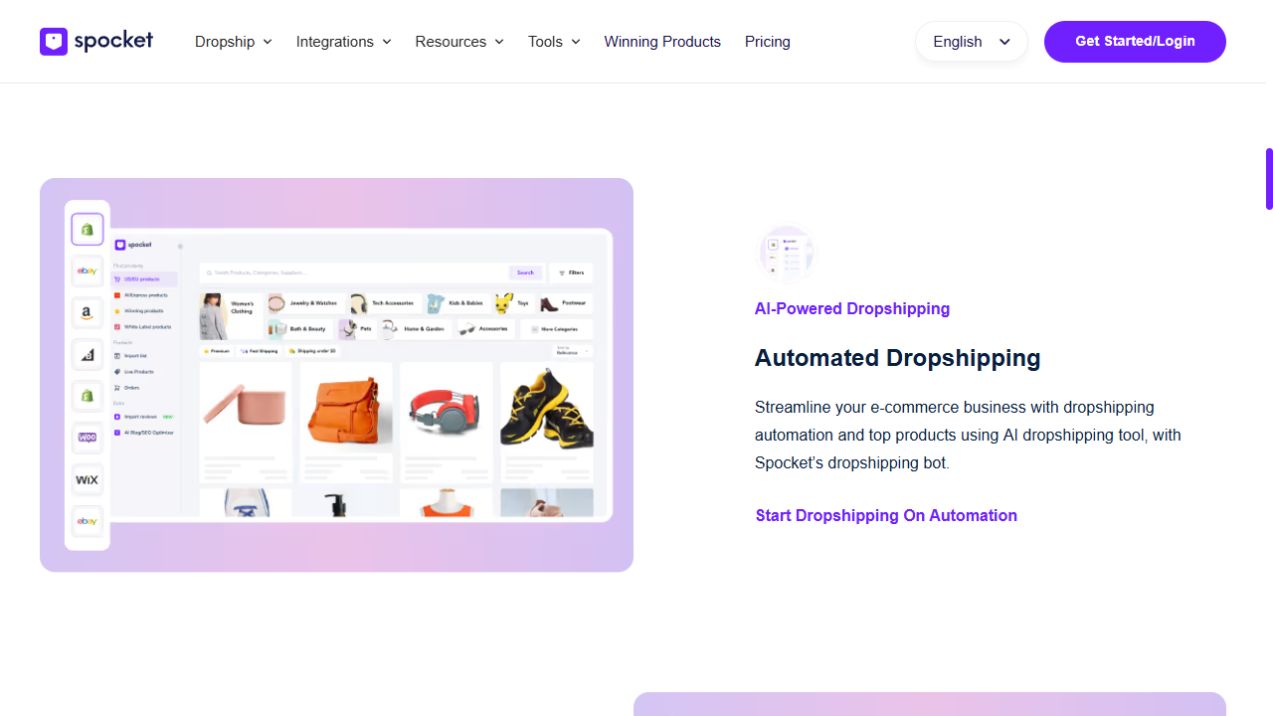
Spocket is a dropshipping product-sourcing and store-integration service. Retailers browse products from participating suppliers, select items to sell, and connect those items to compatible ecommerce storefronts. The customer checks out in your store; you arrange the supplier order through the platform; the supplier packages and ships the item.
In simple terms, customer pays your store, you pay the supplier, and the supplier ships to the customer. Your profit is the difference after all product, shipping, payment, marketing, subscription, tax and refund costs. Spocket's software cannot guarantee that customers will buy what you list.
Step 1: Pick one customer and one product category
Start by deciding who you want to serve. “Everyone who shops online” is too broad. A more useful audience might be urban dog owners, apartment dwellers looking for storage products, or home-office workers shopping for desk accessories. A narrow category lets you compare suppliers against the same delivery expectations.
Write down what your customers would pay, what makes a product useful, and what can go wrong. Fragile products, difficult sizing, or complicated electrical compliance can create headaches for a first store. If you cannot explain why a shopper would choose your listing, do not spend money importing ten variations of it.
Step 2: Choose a selling platform
Spocket publishes connections for Shopify, Wix, WooCommerce, BigCommerce, Squarespace, Square and Ecwid, along with other channels. Your choice should reflect the control you need over storefront design, checkout, hosting, and existing tools.
Shopify is a straightforward option if you prefer a managed store platform. WooCommerce is attractive if you want WordPress control and already manage hosting and plugins. Wix may appeal to someone who wants a site builder with ecommerce features. Compare integrations in our Spocket platform guide before subscribing.
Step 3: Find products that fit your shipping destination
Open Spocket and browse the product categories. Filtering by a country where a supplier is located is useful, but you must also check where that supplier ships. A product based in Germany might have different rates and estimated delivery times to Germany, France and the United States.
For each candidate, record its base cost, variants, available stock, origin, supported destinations, processing window, shipping price, and supplier's return terms. These are the numbers that determine your store's customer promise and gross margin. Our Spocket suppliers guide walks through the checks.
Step 4: Order a sample before you advertise
Spocket's sample ordering instructions describe a product-listing workflow where you select a variant, quantity, delivery address, and payment method. Sampling is valuable because it reveals things a catalog photo cannot: actual materials, size, packaging, and whether the product reaches you when expected.
If your first product is important enough to spend advertising money on, it is important enough to inspect. Take original photographs and write accurate product copy from the item you receive. Original information helps shoppers more than repeating the supplier's title.
Step 5: Connect Spocket and import the product
Once you have chosen a store platform, complete the account connection. In Shopify, for example, you can connect from Spocket's Shop menu or install the official app from Shopify and authorize access.
To publish a product, select Add to Import List, edit the title, description, images or other supported fields in the Import List, then choose Push to Store. Spocket's importer documentation notes that products are added individually rather than through an unlimited bulk-import process. Check the listing in your storefront before publishing it publicly.
A polished product page should answer: What is it? Who is it for? What are the dimensions or materials? How long will delivery take? What happens if it arrives damaged? This is where a useful store separates itself from a generic copy-and-paste dropshipping site.
Step 6: Calculate your unit economics
Here is a simple example using invented numbers, not a live Spocket listing:
| Item | Example amount |
|---|---|
| Selling price | $44 |
| Supplier product charge | $16 |
| Supplier shipping | $5 |
| Payment fee | $2 |
| Average advertising cost per sale | $9 |
| Amount left before overhead and returns | $12 |
That $12 is not your final profit. You still need to allocate your store subscription, Spocket subscription, taxes, refunds, replacements and any other operating expenses. If you cannot make the math work with reasonable assumptions, the product is not ready to launch.
For subscription costs and product limits, use our Spocket pricing guide. A trial can help you test the workflow, but do not mistake a free software week for zero business expense.
Step 7: Create clear shipping and return pages
Supplier processing time and shipping time are separate. Both can vary by item and country. Review the destination-specific figures in the product listing before promising a delivery date. The shipping guide explains how to calculate an estimate.
Every supplier has its own product return policy, and some may not accept change-of-mind returns. Your store should communicate terms clearly rather than imply every product can be returned at no cost. Read our Spocket returns guide before your first order.
Step 8: Get your first visitors without chasing every channel
Choose one marketing channel you can manage. Search content can work for problem-solving products. Short-form video can demonstrate a visually useful item. Paid ads may create traffic quickly but can also turn a seemingly profitable product into a loss if customer acquisition costs are too high.
Create a small set of product-focused assets: one short demo video, a clean product page, useful FAQs, and a shipping explanation. Measure sessions, add-to-cart behavior, conversion rate, cost per order, and refunds. Iterate based on real customer reactions rather than broad “winning products” claims.
Step 9: Fulfill and monitor your first order
When a customer places an order, check your Spocket Orders area and confirm it has been properly checked out and paid. The supplier does not ship an unpaid, unprocessed order just because a customer completed checkout in your store. After dispatch, tracking details can appear in Spocket and email notifications.
Keep an eye on the supplier's stated processing time. If a deadline passes, contact support and communicate proactively with the customer. Good post-purchase communication is a conversion advantage on the next order too.
Common Spocket dropshipping mistakes
Importing too many products. You end up with weak descriptions and no clear niche.
Ignoring shipping origin. Your marketing promises fast delivery to a country the supplier barely serves.
Confusing margin with profit. You forget ads, software, payment fees, taxes and refunds.
Assuming automation handles everything. The retailer still must manage payments, order confirmation and customer support.
Skipping samples. You start advertising a product without knowing its quality or packaging.
Frequently asked questions
Is Spocket dropshipping profitable?
It can be, but the software itself does not create profit. Profit depends on the actual product cost, delivery expenses, conversion rate, marketing, returns and subscription overhead.
Do I need inventory to use Spocket?
The dropshipping model lets you sell supplier-held inventory without stocking the products yourself. You still pay for ordered products and are responsible to your customers.
Can I dropship from the US or Europe with Spocket?
Spocket includes US and European suppliers, but shipping origin and eligible destinations must be checked per listing. See Spocket dropshipping suppliers.
Does Spocket process orders automatically?
It supports connected workflows, but its help documentation says retailers must check out and pay for orders before they will be shipped. Do not assume every step is fully hands-off.
Can I use Spocket with Shopify or WooCommerce?
Yes, both are supported. The setup differs by platform; see Spocket for Shopify or our broader integrations guide.
The Bottom Line
Build your first Spocket store around one customer need, a handful of supplier-checked products, and transparent shipping promises. The goal is not a store full of imported listings. It is a repeatable process that lets you sell profitably and fulfill orders without surprising your customers.