
Quick Verdict
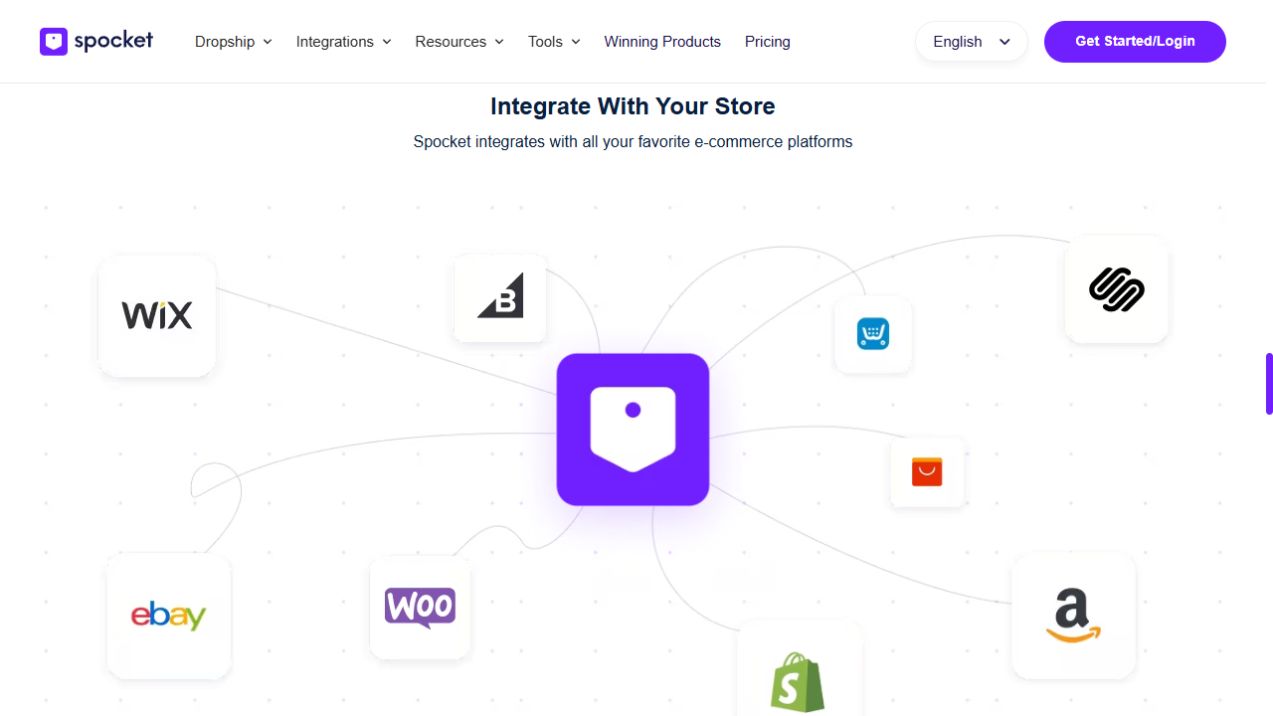
Spocket supports major store platforms including Shopify, WooCommerce, Wix, BigCommerce, Squarespace, Square and Ecwid, plus listed marketplace connections such as Amazon and eBay. The setup and selling permissions are not identical across every platform. Etsy and Facebook Marketplace are explicitly listed among prohibited third-party marketplaces in Spocket retailer guidance.
Affiliate disclosure: This article contains affiliate links. If you sign up through one of them, we may earn a commission at no additional cost to you.
Compare Spocket plans and current offers
Before choosing a dropshipping service, check whether it connects to the store you already use. Spocket integrations cover several mainstream ecommerce platforms, but “integration available” does not mean every channel gets identical features, identical billing, or the same resale permissions.
The main questions are practical: Can you add products to your store? How are orders handled? What does your platform charge? And are you allowed to sell the particular supplier products where you intend to list them?
Which ecommerce platforms work with Spocket?
| Platform | Spocket relationship | Practical consideration |
|---|---|---|
| Shopify | Direct integration and app installation | Easy to start, but Shopify and Spocket bills are separate |
| WooCommerce | WordPress plugin connection | More control, but hosting and plugin maintenance are yours |
| Wix | Connection from Spocket or Wix App Market | Good fit for an existing Wix store |
| BigCommerce | Listed integration | Review current connection and plan requirements |
| Squarespace | Listed integration | Check product publishing and order workflow |
| Square | Listed integration | Confirm which Square storefront functions are supported |
| Ecwid | Listed integration | Useful for merchants operating Ecwid stores |
| Amazon | Listed as a supported selling channel | Marketplace policies and category restrictions still apply |
| eBay | Listed as a supported selling channel | Check eBay policies and the supplier's fulfillment standards |
This overview reflects Spocket's integrations directory and its selling-channel help content. Do not assume support for a platform that is not listed just because Spocket serves ecommerce merchants generally.
Spocket with Shopify
Shopify is a natural fit when you want a managed storefront, themes, checkout and an app ecosystem. You can connect an existing Spocket account by opening Shop and selecting Shopify, or you can install the official app from Shopify's App Store.
After connecting, use the Import List to select and edit products before pushing them to your Shopify catalog. Build accurate product and shipping pages, and remember to process the supplier order after a customer completes checkout.
Our dedicated Spocket Shopify integration tutorial covers setup and common problems step by step.
Spocket with WooCommerce and WordPress
WooCommerce is the relevant route for merchants running a WordPress-based store. Spocket's Help Center describes downloading its plugin package, opening Plugins > Add New > Upload Plugin in WordPress, activating it and connecting through Spocket or an auth key.
If you already have a Spocket account, retrieve the WooCommerce auth key from Spocket's Shop section when required. Follow the current WooCommerce setup guide carefully, especially if you have previously linked a Shopify store using the same email.
WooCommerce gives you control over hosting and store customization, but it also makes you responsible for updates, security and the rest of your site stack. Those costs belong in your business plan alongside the Spocket subscription.
Spocket with Wix
Wix can suit a merchant who prefers an integrated website builder. Spocket's help instructions show two connection methods: open Shop in Spocket, choose Wix and enter the Wix store URL; or install Spocket from within the Wix app interface and authorize the connection.
Once linked, use the product and order workflow in a similar way to other connected stores. Keep an eye on any additional Wix plan requirements for ecommerce features. The official Wix connection guide outlines the steps.
BigCommerce, Squarespace, Square and Ecwid
These platforms appear in Spocket's integrations directory. They can be relevant if you already have a store there and do not want to move platforms just to change sourcing tools. Before paying for a larger catalog plan, confirm that the specific integration supports the import, product updates and order handling you need.
Do not make your entire buying decision on a logo grid. A connection that imports items but leaves important workflow steps to you may be acceptable for a small business and frustrating for a large one. Match the expected manual work to your order volume.
Amazon and eBay: marketplace selling is different
Spocket's selling-channel guidance lists Amazon and eBay as permitted channels. That does not override Amazon or eBay seller policies, local consumer protections, tax rules, product restrictions or shipping standards. Marketplace merchants should read the relevant platform policies and verify each supplier can meet their account requirements.
A customer buying through Amazon may expect different service levels from someone buying through your own Shopify storefront. Make sure your sourcing and returns process can meet the channel's standards before listing there.
Can you sell Spocket products on Etsy or Facebook Marketplace?
Spocket's where-you-can-sell guidance explicitly prohibits certain third-party marketplaces, including Etsy, Wish, Groupon, Facebook Marketplace and Google Shopping. The same guidance allows advertising through channels such as Facebook, Pinterest and Instagram. Advertising a product is not the same as selling it through a prohibited marketplace listing.
This distinction is important if your business plan depends on Etsy or a Facebook Marketplace storefront. Choose a permitted channel or a supplier arrangement that supports the marketplace instead of hoping the integration rules do not apply.
Which Spocket integration is best for beginners?
Shopify is convenient if you want a managed ecommerce workflow and are comfortable with its recurring costs. Wix can be practical for an existing Wix business. WooCommerce suits people willing to manage WordPress hosting and updates. There is no universal winner, and most sellers should avoid migrating a working store merely because another platform gets mentioned more often.
Whichever platform you use, plan for separate spending on the store, payment processing and supplier fulfillment. A Spocket plan does not automatically cover those expenses.
How to choose the correct Spocket plan for integrations
Starter lists a small product allowance, while Professional supports a larger catalog. Empire and Unicorn have significantly higher limits, but they do not remove store-level financial or operational responsibilities. Spocket also says individual subscriptions may be needed for multiple stores to access full features and VIP support, even when management occurs under one account.
See Spocket pricing for the current published tiers. If you have not tested your connection, an eligible monthly trial can be a better starting point than a full annual commitment.
Frequently asked questions
Does Spocket integrate with WordPress?
Yes, through its WooCommerce plugin workflow. A regular WordPress blog without ecommerce is not the same as a connected WooCommerce store.
Can I connect Spocket to Wix?
Yes. Spocket documents both an account-side connection and installation through Wix.
Can Spocket connect to Amazon and eBay?
Spocket lists them among supported channels, but marketplace-specific rules and the merchant's responsibilities still apply.
Is Spocket compatible with Etsy?
Spocket's current retailer guidance explicitly lists Etsy as a prohibited third-party marketplace for selling its products.
Can one account operate multiple stores?
Spocket advertises multi-store management but says separate subscriptions are required for each store to access all features and VIP support.
The Bottom Line
Choose a Spocket integration based on where you already sell and what your fulfillment process needs, not on the longest feature list. Verify product imports, supplier checkout, shipping terms, allowed marketplaces and subscription costs before committing to a bigger plan.